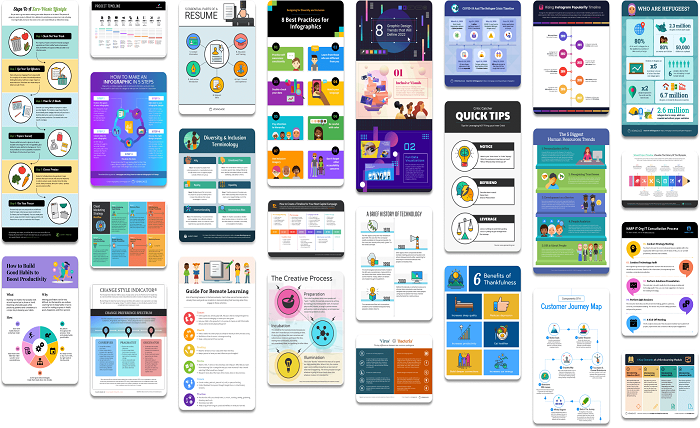
Teachers spend a lot of time trying to explain ideas in a way students can absorb quickly. Visuals make that job easier, which is why so many educators now use digital tools to turn lessons into simple, engaging graphics. When you open an infographic maker and start shaping a concept into a visual layout, you are not just designing a chart. You are creating a learning shortcut that helps students connect information faster.
Attention spans are shorter than ever, especially in classrooms filled with digital distractions. Infographics cut through that noise. They give students a clear overview of a topic before you even start teaching. This helps them stay focused and prepares them for deeper learning.
Infographic tools also save teachers time. Instead of building visuals from scratch in complicated software, educators can use templates, icons, and drag and drop elements that keep design stress low. This frees teachers to spend more time on instruction and less on formatting.
Why Infographics Boost Learning
Infographics work because the brain absorbs visuals quicker than text. Research from the University of Minnesota shows that people understand information better when visuals support it. Students respond to color, structure, and icons because they make lessons feel less overwhelming. A topic that looks complex on paper feels manageable when shown in a clean visual layout.
Infographics also help teachers support different learning styles. Some students prefer to read. Others remember best through pictures or step-by-step breakdowns. An infographic blends these elements, creating a balanced tool that works for a wider range of learners.
Another benefit is retention. Students remember what they see longer than what they only hear or read. When a graphic simplifies a timeline, process, or comparison, students can recall the steps much more easily during tests or class discussions.
How Teachers Use Infographic Makers in the Classroom
Summarizing Lessons
Teachers often use infographics to wrap up a unit or chapter. Instead of sending students home with dense text, they share a visual summary that highlights key points. This helps students review quickly and reduces study confusion.
Explaining Complex Processes
Science cycles, math procedures, grammar rules, and historical timelines all become clearer in infographic form. Students can see the order, flow, and relationships between ideas.
Introducing New Topics
A quick infographic can warm students up before jumping into a lesson. It sets context and helps students see the bigger picture.
Supporting Projects and Presentations
Students can use simple infographic tools to turn their research into clean visuals. This builds digital skills and teaches them how to communicate information clearly.
Classroom Posters and Visual Aids
Infographics make excellent posters. Teachers print them for classroom walls or add them to slideshows and handouts.
Actionable Tips for Teachers Using Infographic Tools
Start with one core idea. Students learn better when the visual has a single focus.
Use clear headings. Headings guide the student through the entire graphic.
Limit the text. Let icons and structure carry the message. Short phrases work best.
Stick to three or four colors. Too many colors can distract students.
Use simple icons. Students should understand what each symbol means without guessing.
Check readability on screens and print. Make sure fonts stay clear at different sizes.
Ask students for feedback. Their insights help you refine future visuals.
Data That Supports the Use of Infographics in Education
Educational studies continue to confirm the power of visual learning. Research shows that students who learn with combined text and visuals retain information at higher levels than those who learn through text alone. Surveys of teachers also show a growing preference for visual materials, especially as classrooms become more digital. Many teachers report that infographics increase student participation, improve note taking, and help reduce confusion during lectures.
Students are also more likely to review infographic based study materials after class. They like that the visuals feel less intimidating and easier to scan during homework or revision sessions. When learning looks simple, students engage more.
Final Thoughts
Infographic makers are changing the way teachers design and deliver learning materials. They help simplify complex ideas, support different learning styles, and keep students focused. Most important, they turn information into something students want to look at, not something they feel forced to decode. With the right tool and a bit of creativity, teachers can turn any lesson into a visual guide that makes learning smoother, clearer, and far more enjoyable.